
Listen to almost anything. Stay in control of every word.
Created by a product designer with a print disability who relies on accessible reading technology every day.
SpokenText Reader turns documents into smooth, responsive audio built around how you listen. Use precise time based navigation, gesture controls, and synchronized text without losing your sense of flow.
Coming Soon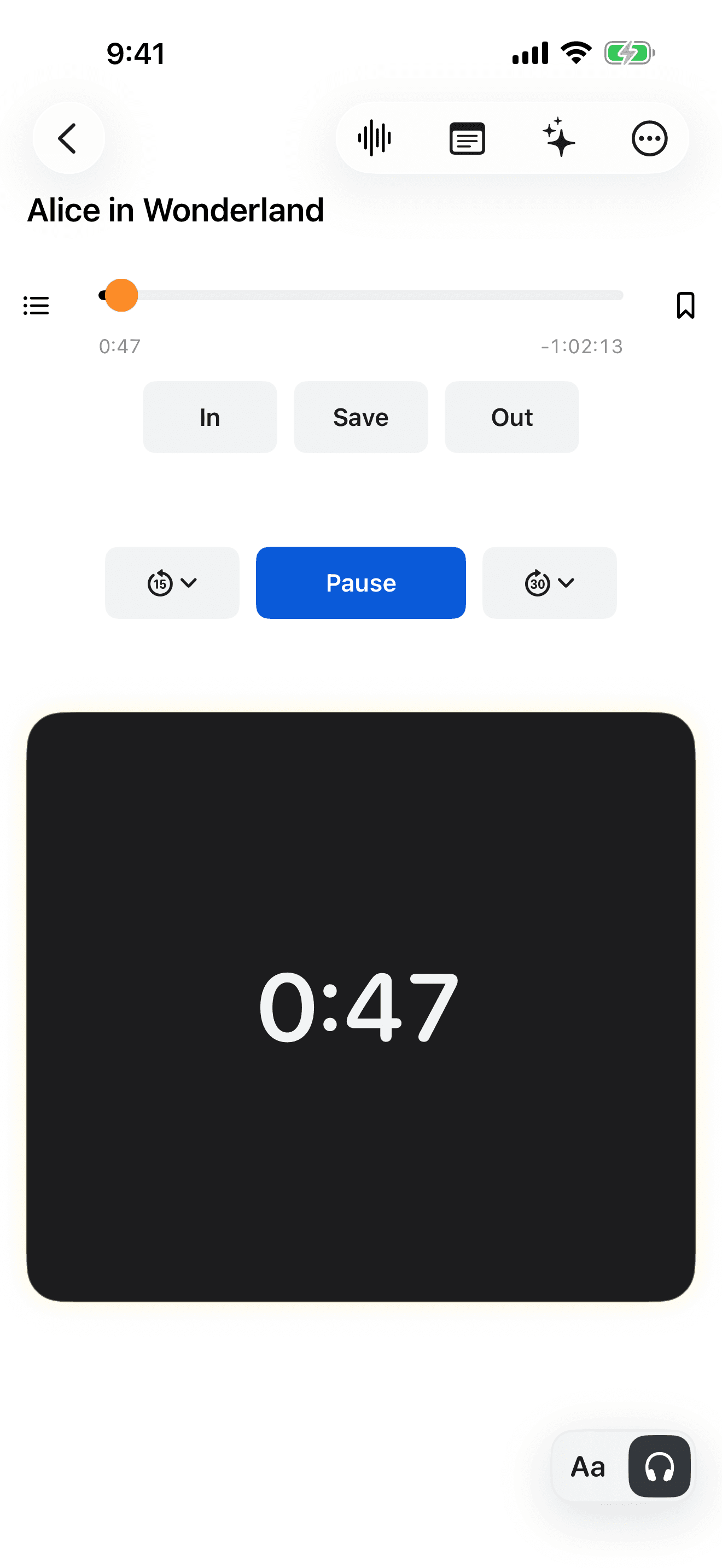
See how it works
A two-minute tour, narrated by Mark. Captions are part of the video, and a full transcript is below.
Read the video transcript
I'm Mark. I have a print disability, and I built SpokenText Reader for myself. An earlier version got me through university. I couldn't have finished my master's thesis without it.
Now I want to help other people with print disabilities get through their reading and their studies. Our testers helped shape it. They told me what kept getting in their way, and we fixed it. Here's how it works.
This is your Library, where all your books live. To add a book, tap Add. Bring in a PDF, an EPUB or a web page. Open it in the Text view, and press play.
You see your text, and the highlight follows each word as it's read. It sounds and feels like recorded audio, except it's your document, generated as you listen.
Tap the text settings button to make it comfortable: large text, your own colors, and it works with VoiceOver as well.
If you'd rather just listen, switch to the Player view. It's built so that you don't have to look at it. It's how I read every day, like an audiobook. Tap to play, tap to pause. Swipe left to rewind, swipe right to fast forward.
A quick flick left jumps back a few seconds, so if you miss something, you hear it again. A slow swipe jumps back ten seconds. A slow swipe right jumps forward fifteen.
Swipe up or down to clip a passage. Press and hold to save a note.
Switch back to the Text view any time, with your place highlighted. And your notes take you right back to the passage where you added them.
Back in your Library. It's built for the whole print-disabled community. Try it, and tell me what you think.
Built for how you actually listen
Smooth time based navigation
Generated speech with the smooth controls of recorded audio. Rewind by the amount of listening time you need without repeating an entire sentence or losing your sense of flow.
Control playback with a swipe
Play, pause, rewind, move forward, mark Clip In and Clip Out, and open a note from the Gesture Pad. Swipe speed and your preferred interval determine how you move through the audio.
Listen, read, or use both
Listen without the text or read along with synchronized word highlighting. Move between both experiences without losing your position.